A Guide to Custom Software Development Costs
Understand what drives custom software development costs. Our guide offers realistic estimates, breakdowns, and expert tips to budget your project effectively.
By Damini
10th Feb 2026
Last updated: 10th Feb 2026
So, how much does custom software actually cost? The honest answer is: it depends. You could be looking at anywhere from $40,000 for a lean Minimum Viable Product (MVP) to well over $500,000 for a massive, enterprise-level system. The final price tag is a direct result of your project's complexity, the size of the team you need, and the specific features required to get the job done.
Demystifying Your Software Development Budget
Trying to price custom software is a lot like trying to price a custom-built house. You wouldn't just ask a builder for the cost of "a house" without getting into the details. Are you thinking of a simple one-bedroom cabin or a multi-story mansion with a pool? The blueprints, materials, size, and special features are what really shape the final budget.
It’s the same with software. A simple app with basic user profiles and a single function is that cozy cabin. An enterprise platform that crunches data with AI, integrates with a dozen other systems, and serves thousands of users? That’s your mansion. Every feature, every screen, and every piece of code adds to the project's scope and complexity, which in turn drives up the cost.
This section will give you the high-level blueprint. It's designed to set a baseline for cost ranges, so you can start framing your budget whether you're a startup founder with a fresh idea or an established company building a mission-critical tool.
Software Project Costs at a Glance
To give you a clearer picture right away, we can break down projects into three general tiers. This simple table helps set realistic expectations before we dive into the nitty-gritty details of what goes into the final cost.
| Project Complexity | Estimated Cost Range | Typical Timeline | Best For |
|---|---|---|---|
| Simple (MVP/Prototype) | $40,000 - $80,000 | 2-4 Months | Startups testing a core idea or businesses building a simple internal tool. |
| Medium Complexity | $80,000 - $250,000 | 4-9 Months | Established businesses expanding their services or creating a robust customer-facing app. |
| Complex (Enterprise-Grade) | $250,000+ | 9+ Months | Large organizations building scalable, secure systems with advanced features like AI or IoT. |
This table provides a solid starting point, but remember these are just ballpark figures. The real cost will always come down to the specific details of your project.
Ballpark Costs by Project Complexity
Let's unpack those tiers a bit more.
-
Simple Projects (MVP/Proof of Concept): The goal here is to validate a business idea with just the core functionality. Think single-platform apps with basic features, a clean interface, and minimal third-party connections.
-
Medium Complexity Projects: These are more fleshed-out applications. They often work across multiple platforms (like web and mobile), feature custom UI/UX design, and connect with external services through APIs.
-
Complex Enterprise Systems: These are the heavy hitters—large-scale solutions built for serious performance, security, and scalability. They often include advanced tech like machine learning, real-time data processing, intricate business rules, and multiple integrations.
Recent industry data helps ground these numbers in reality. The average custom software project in 2026 runs about $132,480 and takes roughly 13 months from start to finish. Of course, "average" can be misleading. A well-scoped MVP usually lands in the $40,000 to $60,000 range, which is a smart way to test the waters without a huge initial investment. You can read the full research about these pricing insights to see how things like team location and technology choices can move the needle on your budget.
One of the most common mistakes I see is underestimating the cost of everything but the coding. The discovery phase, design work, and quality assurance can easily eat up 30-40% of the total project budget. Skimping on these is a recipe for failure.
Understanding these different tiers is the first step in aligning your vision with a realistic budget. It ensures you’re starting the conversation from a place of clarity.
What Really Drives Your Software Budget?
Figuring out the final price tag for custom software is a lot like pricing out a custom-built home. It’s not about one single thing; it’s about how all the pieces—the foundation, the number of rooms, the high-end finishes—come together. Every decision, from a seemingly small feature request to the technology you choose, sends ripples through your budget.
These factors don't exist in a vacuum, either. They're all connected. If you decide to add a complex reporting dashboard, that naturally makes the project bigger, complicates the design, and might even force you to use a specific type of database. Getting a handle on these core drivers is the first step toward having smart conversations about trade-offs and making sure you’re spending money on what truly matters.
Project Size and Complexity
At the most basic level, project size is just about the sheer amount of stuff that needs to be built. Think of it as the total square footage. We often measure this by the number of screens, user roles, or unique workflows the software needs to support. A simple five-page marketing site is worlds away from a 50-screen enterprise platform with layered dashboards and admin controls. More parts mean more time to design, build, and test everything.
Complexity, on the other hand, is about how tricky the work is. It’s the difference between a standard login form and a multi-factor authentication system tied to your company’s internal directory. An e-commerce site that just takes credit cards is simple; one that has to handle multiple currencies, calculate international taxes, and sync inventory across three warehouses in real-time is complex. As that complexity ramps up, you need more senior developers with specialized skills, which directly bumps up your custom software development costs.
Features and Functionality
The list of features you want is probably the single biggest lever on your budget. Every single function, from a "reset password" link to a real-time analytics chart, is a block that needs to be designed, coded, and tested. It’s exactly like adding options to a new car—the panoramic sunroof and premium sound system aren't free, and neither is that slick new feature you saw in a competitor's app.
This is where you have to get ruthless about separating the "must-haves" from the "nice-to-haves." It's the key to keeping your budget in check.
Here’s a quick example of how a single feature can scale in cost:
- Basic User Login: A standard email and password form.
- Social Login: Adding a "Sign in with Google" button means integrating with another company's API.
- Two-Factor Authentication (2FA): Now we're talking about extra security logic and plugging into a service like Twilio to send texts.
- AI-Powered Recommendations: Building a machine learning engine to suggest products based on user behavior is a whole other project in itself.
Speaking of AI, it can be both a powerful tool and a serious budget-eater. Adding a simple ML-powered chatbot might add $25,000–$100,000 to the timeline over two to six months. If you need a completely custom model, you're looking at $100,000–$400,000. And for truly advanced systems like natural language processing, that number can easily soar past $750,000. You can discover more insights about these AI pricing frameworks on Neontri.com to get a better sense of that world.
Design and User Experience
How your software actually looks and feels to a user—the User Interface (UI) and User Experience (UX)—is a massive part of the cost. A slick, beautiful application with custom animations and a pixel-perfect design system is going to cost a lot more than one built with a standard off-the-shelf template.
A great UX isn't a luxury; it's a core feature. Investing in design upfront prevents costly rework later. A confusing interface can render even the most powerful backend functionality useless.
Good design is more than just pretty colors. It’s about doing the hard work of user research, wireframing, prototyping, and testing to make sure the final product is genuinely easy to use. Trying to save a few bucks by skipping this stage almost always backfires, leading to frustrated users and a much bigger bill later when you have to re-architect the whole thing to fix core usability problems.
Technology Stack Selection
Finally, the actual tools used to build your software directly impact the price. This "tech stack" is the collection of programming languages, frameworks, and databases that bring your project to life. Sticking with popular, open-source technologies like Python, React, or PostgreSQL is a great way to avoid expensive licensing fees.
On the flip side, building on proprietary platforms from companies like Microsoft or Oracle can lock you into ongoing subscription costs. The tech you choose also influences how easy (or hard) it is to find developers. If you pick a niche or brand-new programming language, the pool of experts is smaller, and their hourly rates will be higher. It's a balancing act between what your project needs right now and what will be easiest to maintain and scale in the long run.
Mapping Costs Across the Development Lifecycle
Thinking about custom software development cost as one giant number is a mistake. It’s far more helpful to see it as a journey with distinct stages, much like building a house. You wouldn't lump the architect's fees, foundation work, and interior decorating into a single bill, right? The same logic applies here.
Each phase of development has its own purpose and consumes a specific slice of your budget. Understanding this breakdown is key to managing your cash flow and truly appreciating the value you get at every step of the way.
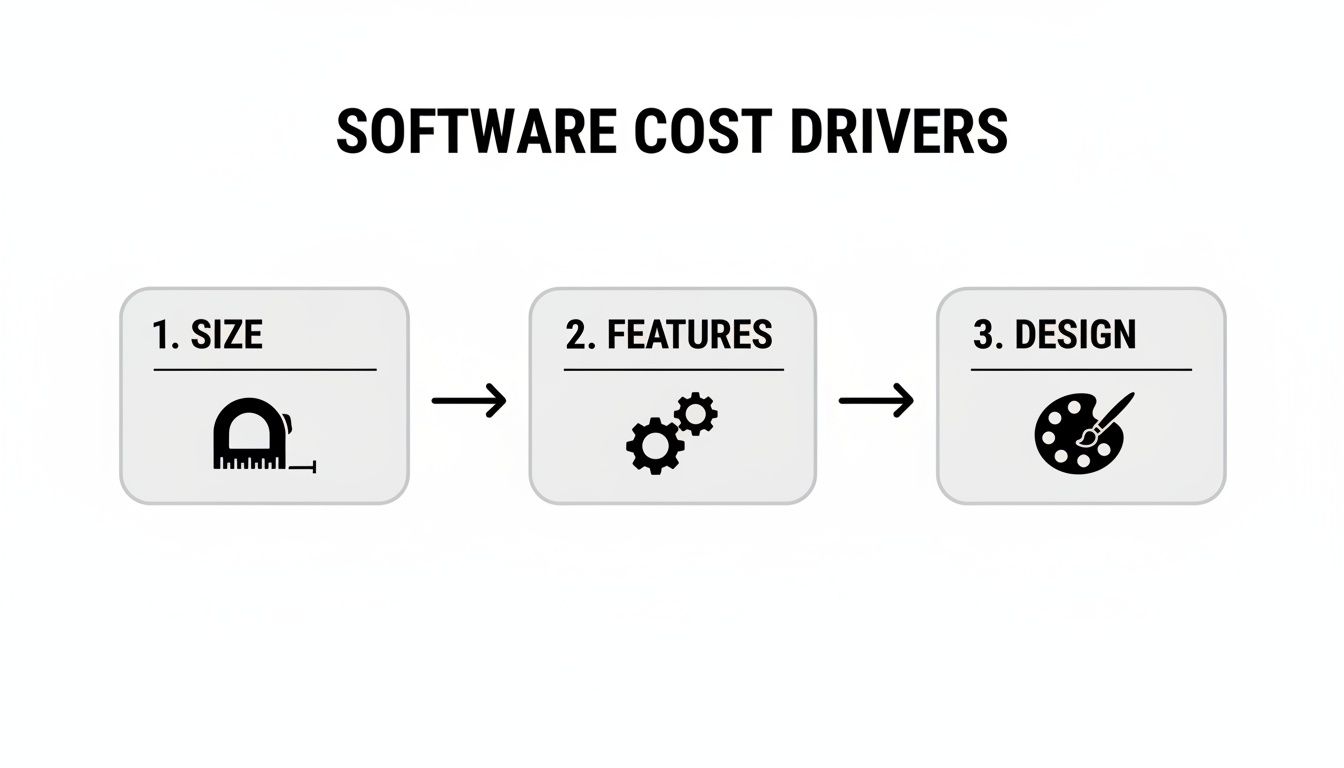
As you can see, factors like the sheer size of the application, the complexity of its features, and the polish of its design directly influence the time and resources needed for each phase.
Phase 1: Discovery and Planning
Before anyone writes a single line of code, we have to lay the foundation. This is the Discovery and Planning phase, where your big idea gets translated into a practical, technical blueprint. This initial groundwork typically eats up about 5-10% of your total project budget.
In this stage, business analysts and project managers sit down with you to hammer out the details. We define clear requirements, map out user stories, and build a project roadmap everyone can agree on. Think of it as an investment in clarity—one that saves you from expensive misunderstandings and scope creep later. Trying to build software without this phase is like starting construction without architectural plans. It's a recipe for disaster.
Phase 2: UI/UX Design
With a solid plan in hand, it’s time to give your software a face. The UI/UX Design phase is where the user experience takes shape, and it usually accounts for 10-15% of the budget. This is about so much more than just making things look pretty; it's about creating a product that is intuitive, efficient, and maybe even a little delightful to use.
Designers will create wireframes to map out the application's structure and then build interactive prototypes to simulate how users will move through it. This process ensures the final product is not just functional, but genuinely user-friendly. A good investment here prevents the costly nightmare of having to redesign a confusing interface after you've already launched.
Phase 3: Development and Coding
Here we go—this is the heavy lifting. The Development and Coding phase is where the blueprint becomes a working product, and it's the most significant part of the budget, consuming 40-50% of the total cost.
This is where developers get to work writing the actual code. They build the frontend (what your users see and interact with) and the backend (the server, database, and all the logic that makes it run). The cost here is directly tied to the project's complexity, the number of features you need, and the size of the team required to get it all done on time.
The development phase is where most of your budget is spent, but its success hinges entirely on the quality of the discovery and design work that came before it. A strong plan ensures developers are building the right thing, the right way, the first time.
Phase 4: Testing and Quality Assurance
Once the core features are built, it's time to try and break them. The Testing and Quality Assurance (QA) phase is a non-negotiable step that accounts for 15-20% of the budget. Its sole purpose is to hunt down and fix bugs, performance bottlenecks, and security holes.
QA engineers are methodical in their approach, rigorously testing the application on different devices and in various scenarios to ensure it’s stable, reliable, and ready for the real world. It might be tempting to cut corners here to save a bit of cash, but launching a buggy product can do permanent damage to your reputation and ultimately lead to much higher support costs down the road.
Phase 5: Deployment and Maintenance
The finish line! Your software is ready to go live. The initial Deployment is usually wrapped into the project cost, but the ongoing Maintenance is a separate, recurring expense you absolutely must plan for.
After launch, you should budget around 10-15% of the initial development cost annually for support and upkeep. This ongoing investment typically covers:
- Server hosting and infrastructure costs.
- Regular updates to keep the software secure and compatible with new operating systems or browsers.
- Bug fixes for issues that inevitably pop up once real users get their hands on it.
- Performance monitoring to make sure everything stays fast and responsive.
This final phase is what ensures your software remains a valuable, revenue-generating asset long after its debut, allowing it to adapt to new challenges and continue delivering a great return on your investment.
How Team Location Shapes Your Final Price
Beyond the features you want and the complexity of the code, one of the biggest factors driving your custom software development costs has nothing to do with technology. It's all about geography: where your development team lives and works. The difference in hourly rates between a developer in San Francisco and one in Eastern Europe is massive, and it can completely change the financial picture of your project.
Think of it like getting a custom suit made. You can go to a local tailor for a premium price, where you get face-to-face service and instant feedback. Or, you could order one from overseas to save on labor, but that introduces a few unknowns about communication and final quality. Neither is wrong; the best choice depends on what you value most—your budget, your timeline, and how hands-on you want to be.
Choosing a development partner isn’t just about finding the lowest price. It’s a strategic move that balances cost, ease of communication, and access to the right talent.
Understanding The Sourcing Models
To figure out what makes sense for you, it helps to know the three main ways companies source development talent, all based on their location relative to yours.
-
Onshore (Domestic): This is when you hire a team inside your own country. If you’re in the U.S., that means working with a firm in a city like Austin or New York. The upside is obvious: no time zone headaches, no language barriers, and no cultural gaps. Collaboration is usually seamless. The downside? This is always the most expensive option.
-
Nearshore: This involves partnering with a team in a nearby country, usually one in a similar time zone. For businesses in North America, Latin America has become a go-to nearshore hub. This model gives you the best of both worlds—you get significant cost savings while keeping the workday aligned, which cuts down on communication friction.
-
Offshore: This means you’re outsourcing to a team in a country far away, often with a major time zone difference. Places like Eastern Europe and India are huge offshore centers. This route offers the biggest cost reductions by far, but it absolutely requires solid project management and crystal-clear communication to bridge the gap in distance and time.
Each model comes with its own trade-offs. You're essentially choosing between cost, convenience, and control.
How Hourly Rates Translate To Project Costs
The regional differences in hourly rates aren't small—they're game-changing. A project that might cost you $250,000 with a U.S.-based team could potentially be built for less than half that price with an offshore partner. This is where the global economics of software development really become clear.
The decision to go onshore, nearshore, or offshore is a classic "good, fast, cheap" problem. With onshore, you get good and fast, but not cheap. With offshore, you can get cheap, but you must be diligent to ensure it's also good and fast.
You can see the real impact when you add up those hourly rates over the life of a project. Data shows that a medium-sized project built by a fully US-based team can easily run $250,000–$400,000. Hybrid teams that mix onshore project managers with offshore developers can knock 25% or more off that price, while going fully offshore can drop it even lower.
The hourly rates tell the whole story. Developers in the US/Canada average $120–$180/hour, while rates in Eastern Europe are closer to $40–$70/hour. In India, they can be as low as $25–$50/hour. You can learn more about how these regional rates impact project budgets to make a smart choice for your company.
This table breaks down how location impacts the bottom line.
Cost Comparison by Development Team Location
| Sourcing Model | Average Hourly Rate | Medium Project Cost Example | Key Considerations |
|---|---|---|---|
| Onshore (US) | $120 - $180+ | $250,000 - $400,000 | Easiest communication, same time zone, highest cost. |
| Nearshore (LATAM) | $50 - $90 | $120,000 - $200,000 | Significant cost savings with minimal time zone issues. |
| Offshore (Eastern Europe) | $40 - $70 | $90,000 - $150,000 | Excellent technical talent at a lower price point. |
| Offshore (India) | $25 - $50 | $60,000 - $120,000 | The most budget-friendly option, but requires strong management. |
In the end, deciding where your team is located is one of the most powerful financial levers you can pull. By weighing the pros and cons carefully, you can find a partner who delivers the quality you need at a price your budget can handle.
Build vs. Buy: Exploring Cost-Effective Software Alternatives
Jumping into custom software is a serious financial commitment. Before you even think about cutting that first check, it’s smart to take a step back and survey all your options. The path you take will have a huge impact on not just your initial budget, but your long-term costs, speed, and overall agility.
Think of it like getting around town. Do you really need a custom-built race car (custom software), or would a reliable family sedan do the trick (off-the-shelf software)? Or maybe what you actually need is a versatile electric scooter that gets you there fast without all the fuss (low-code/no-code platforms). Each one gets you from A to B, but picking the wrong one for your specific journey is just a recipe for frustration and wasted money.
The goal here isn't just to find the cheapest option. It's about finding the best return on your investment, and that means looking at the Total Cost of Ownership (TCO). This isn't just the sticker price; it's everything from setup and training to ongoing maintenance and pesky subscription fees.
The Three Main Paths You Can Take
When you need a new software tool, you've really got three main routes to choose from. Each one presents a different balance of control, cost, and speed.
- Custom Development (The "Build" Route): This is where you hire a team to build something from the ground up, tailored perfectly to your business. You get total control and a solution that can give you a real edge over the competition. The trade-off? It demands the biggest upfront investment and takes the longest to get done.
- Off-the-Shelf Software (The "Buy" Route): This is the classic approach—you buy a license for a ready-made product like Salesforce or QuickBooks. It's quick to get running and costs less to start, but you're stuck with the features the vendor gives you. You're on their timeline, not yours.
- Low-Code/No-Code Platforms (The Hybrid Route): This is the happy middle ground. Platforms like FlyDash let you assemble powerful applications with little to no coding. It's faster than a full custom build but way more flexible than off-the-shelf software, which makes it a fantastic choice for internal tools, dashboards, and custom workflows.
Knowing these three paths is the first step to making a smart financial decision.
Comparing Your Options Side-by-Side
So, how do these choices really stack up when you look at what matters most? Let's break it down.
| Decision Criteria | Custom Development | Off-the-Shelf Software | Low-Code/No-Code (e.g., FlyDash) |
|---|---|---|---|
| Initial Cost | Highest | Lowest | Low to Medium |
| Speed to Market | Slowest | Fastest | Fast |
| Customization | Unlimited | Very Limited | High within Platform Limits |
| Scalability | High (if planned) | Limited by Vendor | Medium to High |
| TCO | High initial, lower ongoing | Low initial, high ongoing | Low to Medium overall |
That off-the-shelf CRM might look like a steal at $50/user/month. But what happens when you have 100 users? Suddenly you're paying for essential add-ons and hiring a consultant to wrestle with integrations. That "cheap" solution can easily snowball into tens of thousands of dollars a year. The initial savings often get eaten alive by recurring fees.
The real cost of software isn't what you pay on day one. It's the sum of every license, integration, and maintenance fee over its entire lifespan. Always calculate the Total Cost of Ownership before making a decision.
Ultimately, the best choice really boils down to your core business needs. If you’re building a unique, customer-facing product that is your business, then custom development is often the only way to win. If your needs are pretty standard, an off-the-shelf tool is an efficient choice.
But for all those critical internal tools, automated workflows, and data dashboards? Low-code and no-code platforms offer a killer combination of speed, cost-effectiveness, and control that's becoming very hard to ignore.
Practical Ways to Reduce Your Development Costs
Keeping your custom software development costs in check doesn't mean cutting corners or settling for a lesser product. In my experience, the smartest cost-saving tactics are the ones you build into your strategy from the very beginning. They actually lead to a stronger, more focused final product.
Think of it like packing for a long hike. You don't just toss everything you own into a backpack. You meticulously choose the essential gear that will get you to your destination. Everything else is just dead weight slowing you down. It’s the exact same with software—every feature that isn't absolutely critical is technical baggage that costs you time and money.
Start with a Minimum Viable Product
Without a doubt, the most powerful way to control your budget is by adopting the Minimum Viable Product (MVP) approach. An MVP isn't a cheap or stripped-down version of your dream product. It's the most basic, functional version that solves one core problem for your first users.
Launching with only the essential features gets your product into the real world fast. You start getting feedback from actual users without sinking a huge budget into untested assumptions. This cycle of building, measuring, and learning ensures that every dollar you spend going forward is on features people actually need and will use. It’s your best defense against over-engineering.
An MVP forces you to answer the most important question first: "Does anyone actually need this?" Answering that question for $50,000 is a much better outcome than spending $250,000 to find out the answer is no.
Prioritize Features Ruthlessly
Once you've committed to building an MVP, you need a system for deciding what makes the cut. This is where you have to get tough on your feature list. Feature prioritization frameworks are perfect for this, as they shift the conversation from a vague "what do we want?" to a strategic "what must we have to succeed?"
A simple but incredibly effective method I've used on countless projects is the MoSCoW framework. It helps you sort every potential feature into one of four buckets:
- Must-Have: Non-negotiable, core features. The software simply won't work without them.
- Should-Have: Important features that add a lot of value but aren't critical for the initial launch.
- Could-Have: These are the "nice-to-have" features that you'll tackle if time and budget allow.
- Won't-Have (This Time): Features that are explicitly postponed for a future release.
Going through this exercise brings incredible clarity to a project. It gets your whole team—from developers to stakeholders—aligned on what truly matters. This creates a focused roadmap that helps keep the project on track, on schedule, and, most importantly, on budget.
Frequently Asked Questions About Software Development Costs
When you're trying to budget for a custom software project, the same questions always seem to pop up. Getting your head around estimates, development approaches, and what happens after the launch is the key to planning well and avoiding nasty surprises.
Let's clear up some of the most common points of confusion so you can have smarter conversations with your team and any potential development partners.
How Long Does It Take to Get a Cost Estimate?
You can usually get a rough ballpark figure in just a few days, provided you have a clear, detailed project scope to share. This initial number is really just to see if the project is in the realm of financial possibility.
A precise, fixed-price proposal, however, is a much deeper dive. That requires a proper discovery phase, which can easily take two to four weeks. This process involves workshops and technical analysis to make sure everyone is on the same page about the goals, features, and potential roadblocks. Spending this time upfront is the single best way to prevent your budget from spiraling out of control later.
Is an Agile Development Process More Expensive?
Not inherently, no. In fact, it often ends up being more cost-effective. While the flexibility of Agile can lead to scope creep if you're not disciplined, its iterative nature is a huge financial advantage. You get to build and prioritize the most important features first.
This means you can launch a leaner product (an MVP), get it into the hands of real users, and start collecting feedback immediately. That feedback then guides what you build next, preventing you from sinking a huge chunk of your budget into features nobody actually wants. It gives you a built-in off-ramp, which can save a fortune compared to rigid waterfall projects where a late-stage change can be ruinously expensive.
What Are the Hidden Costs of Custom Software?
The invoice you get when the initial build is done is rarely the final cost. To get a realistic financial picture, you have to think in terms of Total Cost of Ownership (TCO) and factor in the expenses that come after launch.
As a rule of thumb, you should budget an additional 15-20% of the initial development cost per year for ongoing maintenance and support. This isn't optional—it's what keeps your investment secure, running smoothly, and up-to-date.
Don't forget to account for these common ongoing expenses:
- Third-Party Services: Think subscription fees for any APIs, payment gateways, or analytics tools your app relies on.
- Hosting and Infrastructure: These are the monthly or annual bills for your servers and cloud services.
- Ongoing Maintenance: This covers essential bug fixes, critical security patches, and necessary software updates.
- Software Licensing: You might have fees for proprietary databases or other technologies in your stack.
- Internal Team Time: The hours your own team spends on project management, user acceptance testing, and training are real costs.
Ready to turn your idea into a working application without the massive upfront cost and timeline? With FlyDash, you can build the internal tools and dashboards you need in minutes, not months. Describe what you need, and let AI generate a complete app that you can customize, connect to real data, and deploy anywhere.
Start building for free on FlyDash
Ready to Build Your App?
Turn your idea into a production-ready React Native app in minutes.
Free tools to get you started
Free AI PRD Generator
Generate a professional product requirements document in seconds. Describe your product idea and get a complete, structured PRD instantly.
Try it freeFree AI App Name Generator
Generate unique, brandable app name ideas with AI. Get creative name suggestions with taglines, brand colors, and monogram previews.
Try it freeFree AI App Icon Generator
Generate beautiful, professional app icons with AI. Describe your app and get multiple icon variations in different styles, ready for App Store and Google Play.
Try it freeFrequently Asked Questions
RapidNative is an AI-powered mobile app builder. Describe the app you want in plain English and RapidNative generates real, production-ready React Native screens you can preview, edit, and publish to the App Store or Google Play.